

GuideCalendarMac
Calendar on Mac
Day and Week grids that fill the window, drag to move and resize, zoom the hours with a keystroke, and an event panel that gets out of the way.
Moving an event's start keeps its length in the edit form on iPhone and Mac, including short and overnight events. You can change its end separately to change the length. Dragging an event moves it in 15-minute steps from its original time, so a start at 9:07 stays at seven minutes past the hour when you move it by an hour, and a drag that returns to where it began leaves the time unchanged. If an older capture left the original day and time in the title, moving the event removes those old date and time words when they match its saved time. A title you edit yourself stays as you wrote it.
On the Mac, Calendar is a desk. Day and Week fill the workspace, the hours scroll under pinned dates, and the keyboard moves everything.
When you add or edit an event, the time fields accept 2pm, 2 pm, 2:30pm, 14:00, 2:30, 00:15, and noon. Kept converts each accepted value to the calendar's canonical time before saving; your Mac's 12- or 24-hour clock setting controls display, while canonical 24-hour values remain valid on either setting. The date must be a real YYYY-MM-DD value. An unrecognized time or date keeps the form open, explains the accepted shape, and leaves Add or Save unavailable until you correct it.
Views and where they open
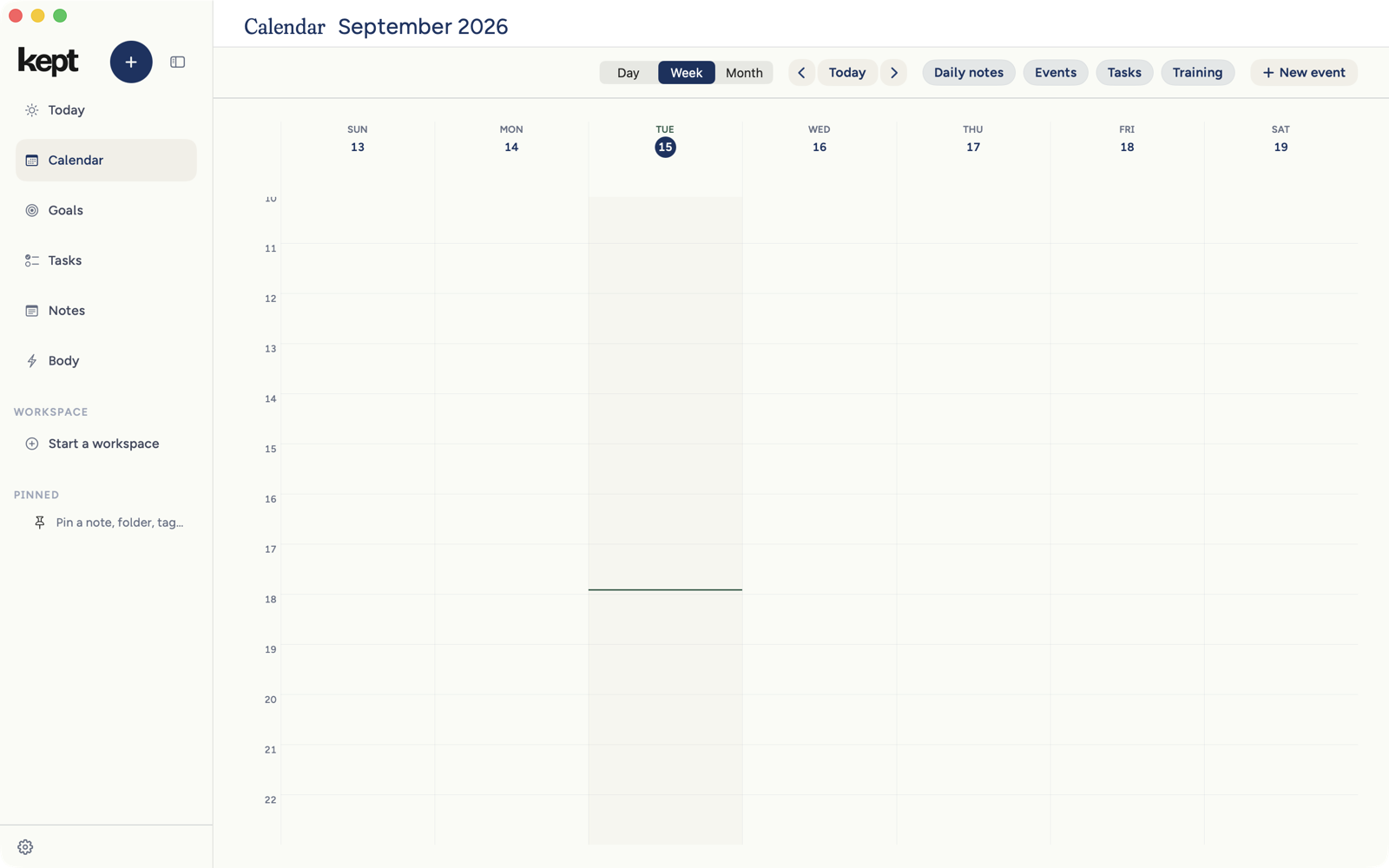
Choose Day, Week, or Month from the switch at the top of the calendar. Calendar opens about three and a half hours before now with about eight hours on screen. A day you choose opens just above its first event, or half an hour before the working morning when it is empty. Your scroll stays put until you pick another day, change the period, or press Today. ⌘ with the scroll wheel, or a pinch on the trackpad, changes the hour height.
Week pins each column's weekday, date, and all-day band while the hours scroll, so a parked afternoon still names its days.
Zoom the hours
| Keys | Action |
|---|---|
| ⌘= | Taller hour rows |
| ⌘- | Shorter hour rows |
| ⌘0 | Back to the default height |
Move and resize
In Day view, drag an event to a new time; its length comes along unchanged, and Week and Month are for reading and clicking. Right-click an empty hour to create an event at exactly that time. Habit chips are there to read, not to drag. An event with a call link offers Join call, and a Google invitation offers Accepted, Tentative, and Declined.
The event panel
Click an event, including an all-day one, and its details open in a panel over the calendar. Under the title of a Google event, a muted line names the account it came from, such as Google Calendar · you@example.com. Close it with the small x, esc, or a click outside. Edit turns the title into a field and keeps you in the same panel; Cancel returns to the details.
Clicking away from an edit you have not saved asks whether to discard it or keep editing. The prompt follows you: choose Discard edits and you land where you clicked; choose Keep editing and you stay.
Guests appear once each with a count above the rows, and a long list scrolls inside its own band so your reply and the Edit and Delete controls stay in view. If you organized a Google event, Edit can add or remove people by email and Kept tells them. If you are a guest, the list is read-only and says why.
Repeating events
With a writable Google calendar connected, New event and Capture can make an event repeat every day, week, month, or year, every so many of them, ending never, on a date, or after a count. Without a writable connected calendar, Repeat says it is unavailable rather than saving one event by mistake. Repeating events can be created here, not edited afterwards; change one in your calendar app. The iPhone shows repeating events but does not create them.
Daily notes on the grid
With the Daily notes pill on, existing daily notes show as small links beside their dates in Day, Week, and Month. Click one to open that day's note. The same row of pills shows or hides Events, Tasks, and Training.
Tasks on the grid
With the Tasks pill on, a task with a due time shows at that time in Day and Week: a small marker on the hour it is due, with the time and the title in Day. It marks a moment, not a block of time. A title too long for its column wraps and the marker grows to show all of it; in Day the time moves above the title when the two do not fit on one line. Tasks due close together sit one under another. A task due during an event sits beside or below the event's title; when two events overlap, a marker can cover part of the later one. Click it to open the task. A task with a due date but no time is listed in Day under Due this day, and in Week's band above the hours, never at midnight.
A priority's time on Today
When you open one of your Top 3 on Today, the day's calendar beside it shows the time Kept suggests as a dashed block with the card's title and Suggested. Earlier and Later on the card slide that block through the openings that fit, including full-hour choices inside a long free stretch. Once you choose Add to calendar, the dashed block gives way to the event itself.
Next: Meals, sleep, and training.
Click an event's location to open the address in Apple Maps. Right-click the location and choose Copy Address to copy it.