

GuideMacMac
The command palette
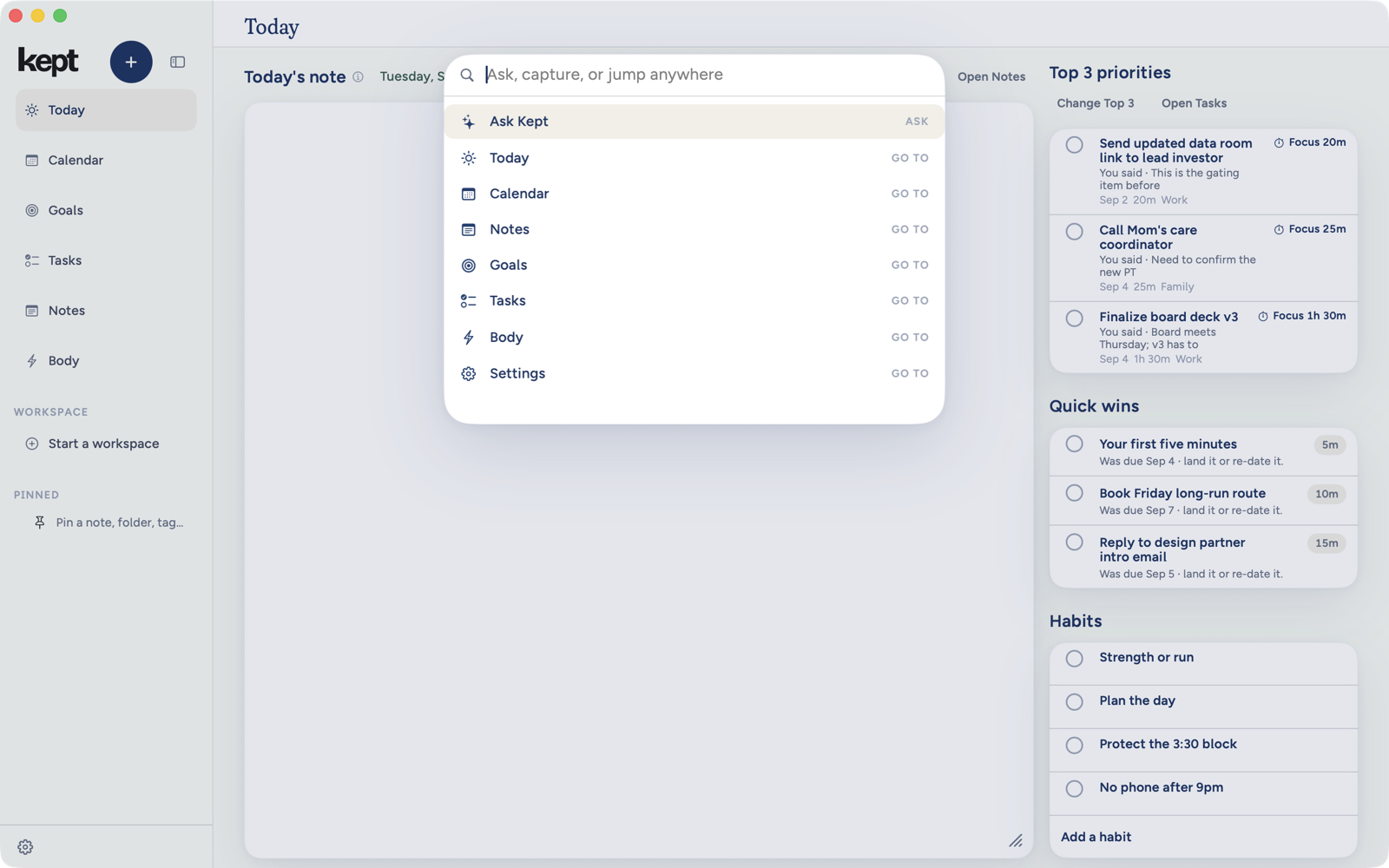
One field that searches, navigates, captures, and asks. Press Command K and start typing.
⌘K opens a single field over the window. What happens next depends on what you type and which key you press to finish.
The palette takes the keyboard as soon as it opens, wherever you were, so your first letter lands in its field even when the sidebar had focus. tab stays inside the palette. esc closes it and puts you back exactly where you were: the same sidebar row, or the same place in your text.
Search
Type a few letters and the palette lists matching tasks, notes, events, and goals, each marked Open with its kind in its icon, alongside a Capture row and an Ask row that carry your text. The palette is as tall as its rows, and scrolls once there are more than fit. A long title wraps rather than ending in an ellipsis, so you see the whole name before you open it. ↑ and ↓ move the selection. The selected row is filled, with a bar at its leading edge, and always says what ⏎ will do (Open note, Open task, Ask Kept or Capture), and ⏎ does exactly that. Notes open in Notes, tasks in the inspector, events in Calendar.
What Return does
Until you move the selection, ⏎ follows what you typed:
- A question. If your text ends in
?,⏎asks Kept. A question is never captured. - An exact title. If your text is exactly the title of a task, note, event or goal, ignoring capital letters and spaces at either end, that item is selected and
⏎opens it. Accents and the spacing inside the title must match. If a task and a note share the title, the task comes first, and both are listed with their kinds so you can choose. - A search match. When there is no exact title, the best matching task, note, event or goal is selected. A word from a note's body can open that note. An exact place name such as Settings goes there.
- No match. Once the search has finished with no matching item or exact place name,
⏎opens Capture with your complete text for review. A partial place name such as “set” keeps Capture selected; places remain available below it. Capture and Ask also have their own rows and shortcuts.
An exact title can open as soon as it is known. While a body or partial-title search is still working, the selected row reads Searching… and ⏎ does nothing, and a result that arrives later never acts on that earlier press. ⌘⏎ always opens Capture for review, and ⌥⏎ always asks. Arrow to another row and ⏎ follows your choice; type again and the rules above apply.
Jump
With nothing typed, the palette lists your places in the same order as the sidebar, then Settings. Type the name of a surface, such as "calendar" or "settings", and the palette offers to go there. The numbered rows of the sidebar are one keystroke away without the palette: ⌘1 onward, numbered in the order they show. A surface you hid from the sidebar can still be reached by name here. Kept Workplace has retired from the Apple apps, so the palette has no Workplace search or workspace commands. Cloud Agents are paused in Kept 1.8.6, so there is no agent hand-off either.
Capture
Whatever you type, a Capture row carries it. ⌘⏎ moves your line into Capture from any row, where ⌘⏎ again keeps it, with the same routing as everywhere else. This is the fastest way to add a task when your hands are already on the keyboard inside Kept.
Ask
⌥⏎ hands whatever you typed to Ask Kept, and so does ⏎ when your text ends in ?. The assistant takes over the palette with your words already sent as the first message. esc closes it.
Habit Builder
Where Habit Builder is on for your account, the palette lists Build a habit with Kept as a command.
Next: Mac tips.