

GuideHabits and GoalsiPhoneMac
Habits
Turn a repeated intention into a rhythm you can keep. Honest timing, groups, weekly targets, and no streak that punishes a missed day.
On Duo, Habits starts at its normal page opening after an unfold, keeping the title and Add habit invitation in place even while navigation settles. An opening sweep that ends flat does not briefly commit a crease; a held partial fold does.
Upright Habits keeps the device's top safe area and the shell rail above its content, including after Add habit is canceled. In an upright crease, the page still ends before the hinge.
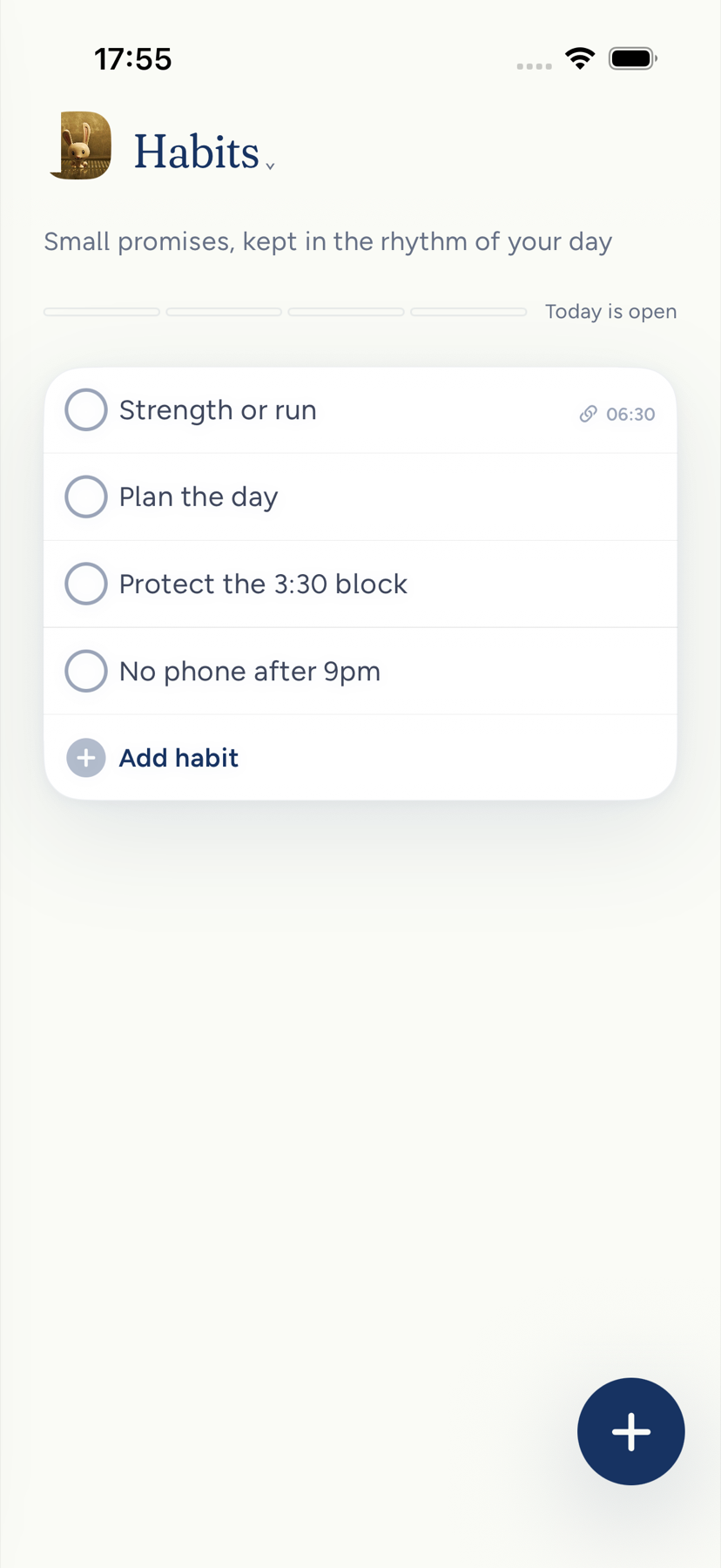
On iPhone Duo, the open spread gives Habits its own page title. The habits card stays inside a physical page, clear of the crease. Its bounds move continuously between cover and spread while the same list and editor draft stay mounted; Reduce Motion places it directly in the new layout. Add habit opens the habit editor, and folding while it is open keeps the same draft.
The editor opens from the active Habits page on the cover or spread, from the empty invitation, Add habit row, or a habit name. This also works when you enter Habits through the drawer. Close returns control to that Habits page. The spread's other page shows This week for your first active habit, with its schedule and existing check-in history; with no habits yet, it offers a quiet starting point. On Duo, the card keeps a margin before the side dock. Habits use one full-width row each, with the complete name above its timing and cadence, so narrow tiles never hide a name. A brief partial fold during an unfold does not briefly change the card to a second layout; a held partial fold respects the crease.
A habit in Kept is a promise on a rhythm. You say what you will do and how often. Kept shows it on the days it applies, lets you check it off in one tap, and keeps the record without turning it into a score that shames you.
On iPhone, tap the progress button (the small chart beside a habit; VoiceOver calls it View progress) to see this week’s check-ins and its daily, weekday or weekly streak; opening progress never changes a check-in. On Mac, the same button beside a habit on Today shows check-ins so far this week, such as _2 of 3 check-in days this week._ A flexible weekly habit keeps its weekly target. Daily and weekday habits count only the scheduled days that have passed since you started the habit, so before any have passed it reads _0 check-in days this week._ Out of a single day, it says _check-in day_, as in _1 of 1 check-in day this week._ Streak copy starts in the second week. The sheet explains what counts, leaves the current day or week open, and says when a changed schedule leaves too little history to calculate a weekly streak. Goal pages show completed weeks with a logged check-in, such as _Logged in 3 of the last 4 weeks_. A check-in confirmation names the habit and says _logged_.
On Today, the check-in ring, habit name, and progress button follow the same columns as the task rows. The ring has a larger touch area without pushing the name to the right. Opening the habit by its name leaves today's check-in as it is.
On Mac, Habits is also a sidebar destination. It remains available when the Habits block on Today is hidden. Use the existing habit controls to check in, add or edit a habit, archive it, and restore it from Archived. It follows the same Habits permission as the other entry points.
The Mac Habits destination waits for your habits to arrive before offering to add your first one. If the first read fails, it says _Habits aren't available right now._ Checkmarks follow the day in your profile's timezone, including when midnight passes while you are offline. A check-in from a page left open for another account or day cannot change the current account's habits.
Before your first check-in today, Habits shows no empty progress meter or zero-percent bar. Completion feedback reports the saved action, such as Walk · logged or All 3 habits logged today, without assigning you an identity.
Create a habit
Open the drawer and tap Habits, then Add habit. The Add row is also an actionable button for VoiceOver and Voice Control, including on the Duo cover and spread. Name it and tap Save. On iPhone the keyboard's Done key only puts the keyboard away, so a habit is never saved before you choose. If you tap Cancel after typing or changing anything, Kept asks _Discard this habit?_ (or _Discard your changes to this habit?_ when editing) with Discard and Keep editing, and a swipe down does not close the sheet while you have unsaved changes. Habits is in a new account's menu and on by default. Settings → Menu hides the row if you do not want it there. Hiding never deletes habits or turns the module off. With no habits yet, Today shows Track your habits, _Big goals are accomplished through daily work. Add a habit below_, and Add habit, on iPhone and Mac. On Today it also offers Remove habits from home page, which hides the Habits block every day; Show every day in Today note settings brings it back, on every device. The Habits destination shows the same invitation without that line. The invitation waits until Kept has heard back about your habits, so it never appears while they are still arriving; if they cannot be read, Today says _Habits aren't available right now._ You can also ask the assistant, use the Shortcuts action, or let a connected agent create one.
On iPhone the editor opens at full height, so the Schedule choices are never cut off at the bottom of the sheet. The editor asks for a few things:
| Field | What it means |
|---|---|
| Habit | Say it the way you would say it to yourself. "Walk after lunch." |
| Kind | Something you do, or something you are stopping. |
| Schedule | Every day, Weekdays, or a Weekly goal of one to seven times. |
| Time | Optional. A habit with a time and named days can appear on your calendar. Weekly-goal habits and things you avoid stay off it. |
| Part of day | Morning, Non-negotiables (shown as Core on iPhone), or Evening. A habit that already has Training keeps it as a fourth choice, and it stays Training unless you pick another part of day. |
| Group | An optional label you create, such as Recovery or Deep work. Tap the name under Group to choose No group, one of yours, or New group; Manage groups sits below it. |
New habits never start in Training in Kept's own editors and plans on iPhone and Mac: setup, a goal's Add practice (Add a practice on iPhone) and its Suggested drafts, Goal Builder and Goal Coach use Morning, Non-negotiables or Evening, and a practice added from a body goal starts on Non-negotiables. The assistant and connected agents are asked not to choose Training for a new habit; if one does, pick another part of day in the editor. Nothing converts a habit you already have.
A habit you build to stop something, such as "No phone after 9pm", is an avoidance habit. Kept knows the evening is the evening and never marks it late at breakfast.
Link a habit to a goal from the goal's page, with Add practice or Link existing on Mac and Add a practice on iPhone. From a goal, the practice sheet also offers Suggested drafts drawn from the goal's own title and target; tap one to fill the editor, then edit or dismiss it before you save. Kept will not create a second practice with the same name. Where Cloud AI and the habit builder are on, Build with Kept opens the builder with that goal attached. In the Habits tab, a linked habit names its goal below the row, such as _for Read 12 books_. Archiving a goal hides the practice its builder created; restoring the goal returns it unless you archived the practice separately. The habit editor itself stays short.
Check in
Tap or click a habit's name to open its editor. Opening the name never changes today's check-in.
Tap the circle on Today, in Habits, or on the Protocol widget, or say "Complete my next habit in Kept". The Control Center control checks off the next open habit. Checking in is quiet: the row stays where it is, a habit earns no _+1_, and on Today a checked habit reads _Checked in_, which is also what VoiceOver says. Each check-in is a dated record, so one day never overwrites another. Tap a checked circle again to take a mistaken check-in back; widgets offer an undo of their own.
On Mac, the circle inside an opened Today habit records the same day's check-in as its collapsed row; tap it again to take that check-in back.
Today lists only the habits that apply to today. A weekday habit rests on Saturday: where it is still listed it reads _Weekdays · not today_ and stays out of the day's _N of M kept_. Habits runs in the day's order: Morning, then Core, then Evening, then anything else, and within each part of day in your own order. Today runs by the clock, on iPhone and Mac alike: a habit without a time sits with its part of day (Morning in the morning, Core at midday, Evening at night), so an untimed Morning habit never trails a 12:30 one. "This week" starts on your calendar's first day of the week everywhere, on a habit's progress, a goal's page and the calendar alike. A weekly habit stays available until you have kept it once that week. A three-times-a-week habit shows how many are done and never invents a clock hour it is late by.
Groups
Groups are your own labels. Choose one in the editor, or New group to make one on the spot. Manage groups renames, archives, restores, and reorders them. Archiving a group keeps its habits and their history. Kept never regroups habits on its own.
Honest timing
- A habit you just made is never already late.
- A weekly habit counts the check-ins you actually recorded this week, from the day the habit existed.
- Changing a habit's schedule mid-week does not rewrite what earlier days were asking for.
- A monthly or free-form rhythm stays off Today's list and off the calendar, and stays available in your library to mark by hand.
Habits on the calendar
Turn on calendar visibility in the editor and a habit with a time appears as a chip on its days. On iPhone, press and hold the chip to move it, then choose Just this day or Every day. Moving a habit never checks it in.
Adapt instead of starting over
Edit the name, the rhythm, the time, or the group as your life changes. Archive a habit when it should leave the daily list: press and hold it and choose Archive habit. It leaves Today and Habits on every day, not just today, and its history stays. Undo in the message brings it straight back, and it waits under Archived at the bottom of Habits on iPhone (below the Habits card on Mac), where Restore returns it to your list. Delete habit, at the bottom of the editor on iPhone, removes it for good after a confirmation, with a short Undo. Kept never removes an earned day because a later day was missed. The history is for reflection, not for punishment.
Turn Habits off altogether in Settings → App Layout. The Habits tab then shows a single Turn on Habits control so the way back is obvious.
Next: Habits and Apple Health, which is paused in Kept 1.8.6.
On iPhone, habit cadence and completion details wrap below the habit title at accessibility text sizes, keeping them inside the screen.
A goal practice reports weeks with a logged check-in, such as Logged in 3 of the last 4 weeks. This counts activity in completed calendar weeks; a missed day does not turn an otherwise logged week into a failed week. Goal subtitles appear in the Habits tab.
Archive in the Mac habit editor uses the neutral action color. It remains reversible from Archived.
On Duo, the Habits page uses the shared surface title band. Each check circle lines up with the first line of its habit name, while schedule information stays below the name. Empty and populated Habits use the same quiet Add habit row. Ordinary iPhone and Today keep their existing controls.